

Hello Friends,
I hope you guys are safe and doing great work. Today we are going to learn about a well-known library called Pandas. We have heard this word many times so let’s first understand what Pandas is. Pandas is a Python library that is very useful for data analysis and visualizes a large amount of data. It is also very flexible and also opensource.
Let’s get started with Pandas. You can use Google Colab to practice with pandas. For that, first, you need to install the pandas so you can use that library, so let’s install it with just one line.
import pandas as pdSo now we have installed our library. So we can use it with ‘pd’ in our entire colab notebook. Now we will create a simple dataset of name and age.
firstDataset= {
  'name': ["Jhon", "Krish", "Jiya"],
  'age': [19, 21, 25]
}

a= pd.DataFrame(firstDataset)

print(a)
Output,
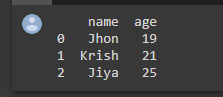
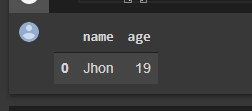
As we have defined our dataset, and now we want to read first or the last row of our dataset then, what we will do, let’s learn this with the example.
a.head(1)Output,
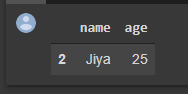
a.tail(1)Output,
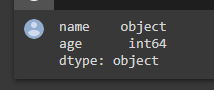
Now let’s check the data types of the columns added in our dataset,
a.dtypesOutput,
When we have a large amount of data, we might have to download it, so let’s check the code for that.
a.to_excel("firstDataset.xlsx", sheet_name="myFirstDataset") Outtput,
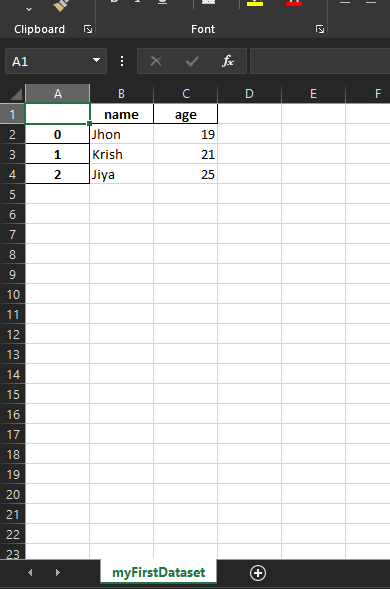
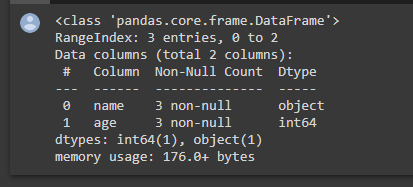
When we want to know the whole information about our dataset, this can be useful,
a.info()Output,
This one is just the introductory blog, you will see many more things in part 2 of this blog. So stay tuned and follow us to get notified of the next blog.
Thank you for reading 🙂
Happy Coding 🙂
 Developer's Desk